Slack Integration
Connect your Slack workspace to FeatureVote for real-time notifications
Connect your Slack workspace to FeatureVote and receive real-time notifications about feature voting activity directly in your channels.
What You’ll Get
Once connected, FeatureVote can notify your Slack channel when:
- New feature requests are submitted
- Features reach vote milestones (5, 10, 25, 50, 100)
- New comments are added
- Features are marked as shipped
You control which events are sent and which channel receives them.
Set Up in 2 Minutes
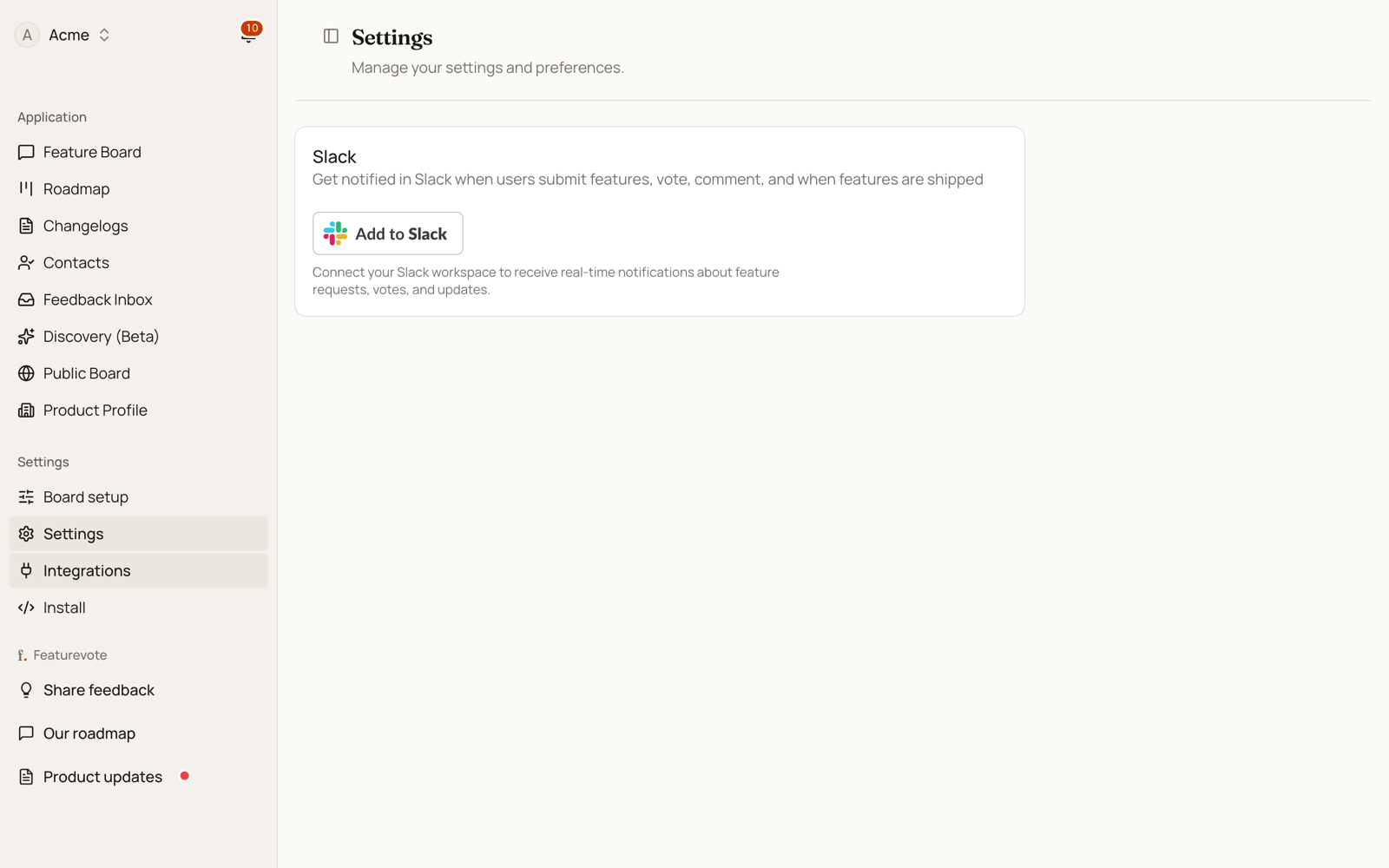
1. Connect Slack
- Go to Settings → Integrations
- Click Add to Slack
- Authorize FeatureVote in your Slack workspace
2. Invite the Bot to Your Channel
In Slack, open the channel where you want notifications and run:
/invite @Featurevote
This step is required — the bot must be invited before it can post messages.
3. Choose the Channel
- Return to Settings → Integrations
- Select the Slack channel
- Save your changes
That’s it 🎉 You’ll start receiving notifications in Slack.
Customize Notifications (Optional)
You can toggle notifications for:
- Feature submissions
- Feature completions
- Comments
- Vote milestones (5, 10, 25, 50, 100)
Changes take effect immediately.
Milestones count people, not points. If you weight votes with the Patreon integration, "25 votes" in Slack still means 25 voters, even when the board shows a higher number.
Test the Integration
Use Send test message in the Slack integration settings to confirm everything is working.
Troubleshooting
- No messages? Make sure the bot is invited to the channel
- Wrong channel? Invite the bot to the new channel and reselect it
- OAuth failed? Check that you have Slack admin permissions
If issues persist, try disconnecting and reconnecting the integration.
Security & Privacy
- FeatureVote only posts messages — it never reads them
- Tokens are encrypted and securely stored
- You can disconnect the integration at any time