AI-Enhanced Feature Requests
Use AI to improve feature request descriptions and titles
When creating a feature request, AI can help you write clearer descriptions and generate fitting titles.
How It Works
Write a description of at least 20 characters. Two AI options will appear:
Enhance Description — Rewrites your text to be clearer and more professional. Useful when you have a rough idea but want it polished.
Generate Title — Creates a title based on your description. Saves time and ensures the title matches what you wrote.
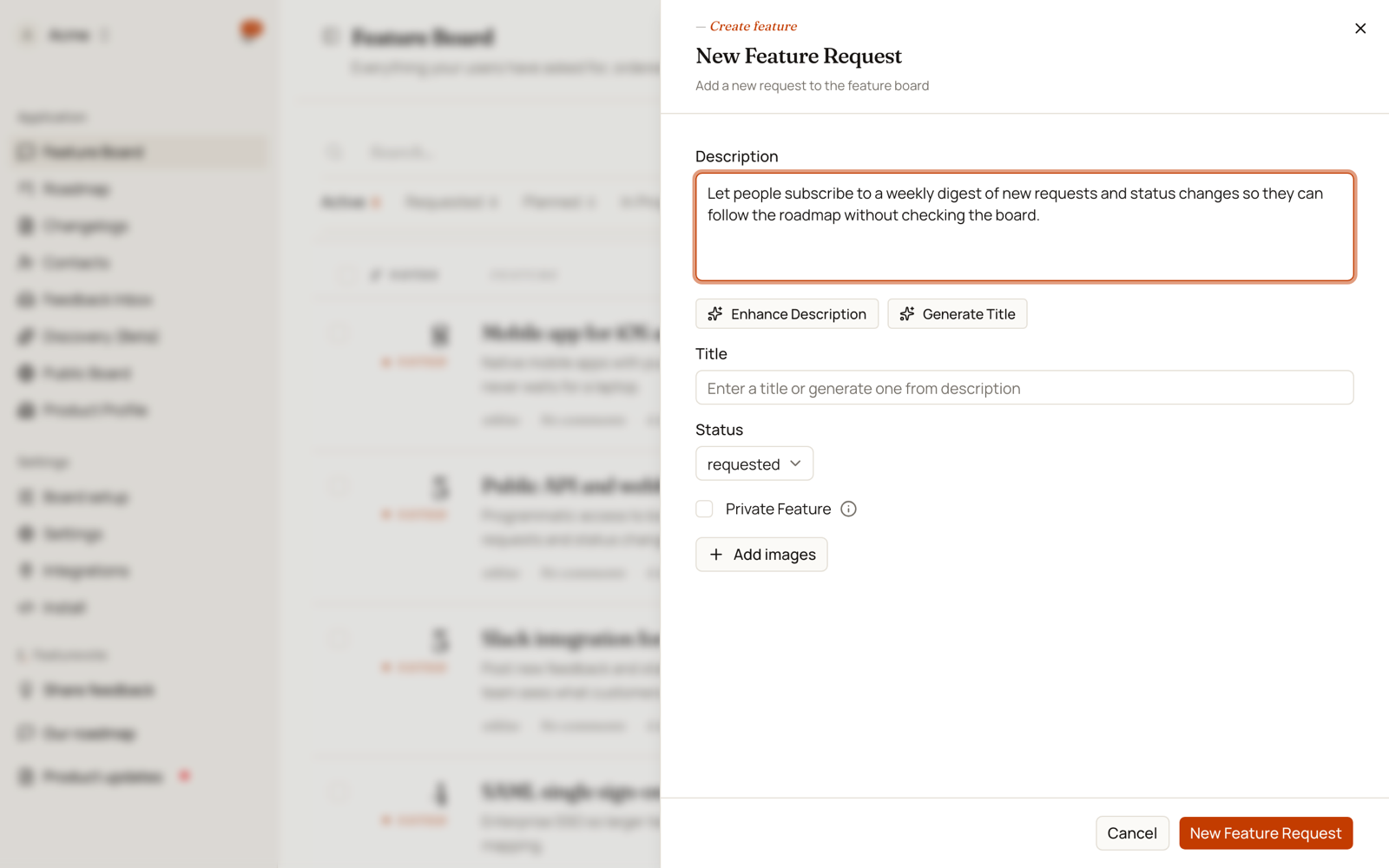
If you don't like the AI output, click Undo Changes to restore your original text.
When to Use It
- You have a clear idea but struggle to articulate it
- You want consistent, professional language across requests
- You need a title but can't think of one
- You're in a hurry and want to speed things up
The AI works best when your initial description is specific. Vague input leads to vague output.
Announcing Completed Features
When you mark a feature as "done", a completion dialog appears. Click Enhance All with AI to transform the feature request into a shipped announcement.
What It Does
The AI rewrites text from request format to completion format:
- "We need dark mode" becomes "You can now enable dark mode"
- "Can you add CSV export?" becomes "You can now export to CSV"
- "It would be great to have notifications" becomes "You now receive notifications"
The transformation keeps your original meaning but shifts the tone from request to announcement. Use this before notifying voters so the message feels like an update, not a reminder of what they asked for.
Why Use It
When features ship, you want to announce them clearly. The original request wording ("we need..." or "can you add...") doesn't work well for announcements. AI converts it to past tense ("you can now...") so it reads like you're sharing good news instead of discussing a request.