Finding and Merging Duplicate Requests
Use AI to detect similar requests and merge them to keep your board clean
Users often submit the same feature request in different words. Merging duplicates consolidates votes, keeps comments together, and prevents your board from cluttering up.
Why Merge Duplicates
Multiple requests for the same feature split attention and votes. When you merge them:
- Duplicate requests are removed from the active board
- Votes move to the primary request
- Comments move to the primary request
- Users see the true demand for a request
- Your roadmap stays clean and focused
How AI Detection Works
Starting a Scan
- Select one request from your feature list
- Click the duplicate detection button
- AI scans all active features looking for similar requests
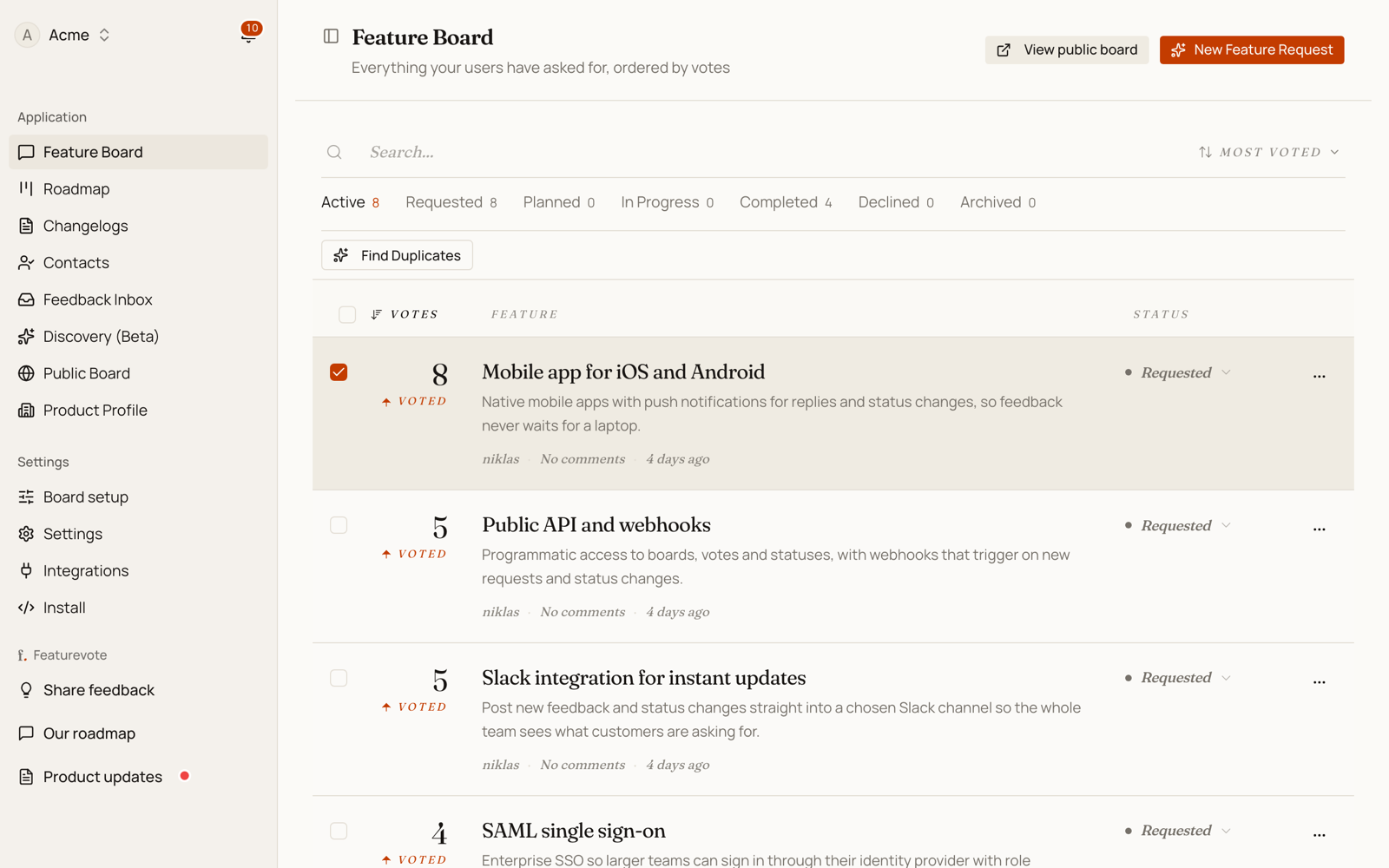
The scan compares the selected request against the other active requests on your board. It takes a few seconds depending on how many requests you have.
What AI Looks For
AI ignores marketing fluff like "enhance user experience" or "streamline workflow." It focuses on what's actually being requested:
- The specific action — export, integrate, display
- The technology mentioned — YouTube, CSV, Stripe
- The constraints — "without leaving the app", "in real-time"
- The context — when, where, or how it should work
Two requests mentioning the same technology with the same constraint score very high, even if one says "would be great" and the other says "critical for workflow."
Understanding the Results
AI groups similar features and shows a similarity score:
- 90-100% — Essentially the same request, just worded differently
- 70-89% — Very similar, should likely be merged
- 50-69% — Related but might be distinct features
- Below 50% — Different requests (AI won't show these)
Each match includes an explanation of why it's considered similar.
Merging Features
Using AI Results
After scanning:
- Review the grouped features
- Check the similarity scores and explanations
- Select which features to merge using checkboxes
- Click "Merge Selected"
You need at least two features selected to merge.
Manual Merging
You can also merge without AI detection:
- Select multiple features from your main board using checkboxes
- Click the merge action
- Choose which request should be primary
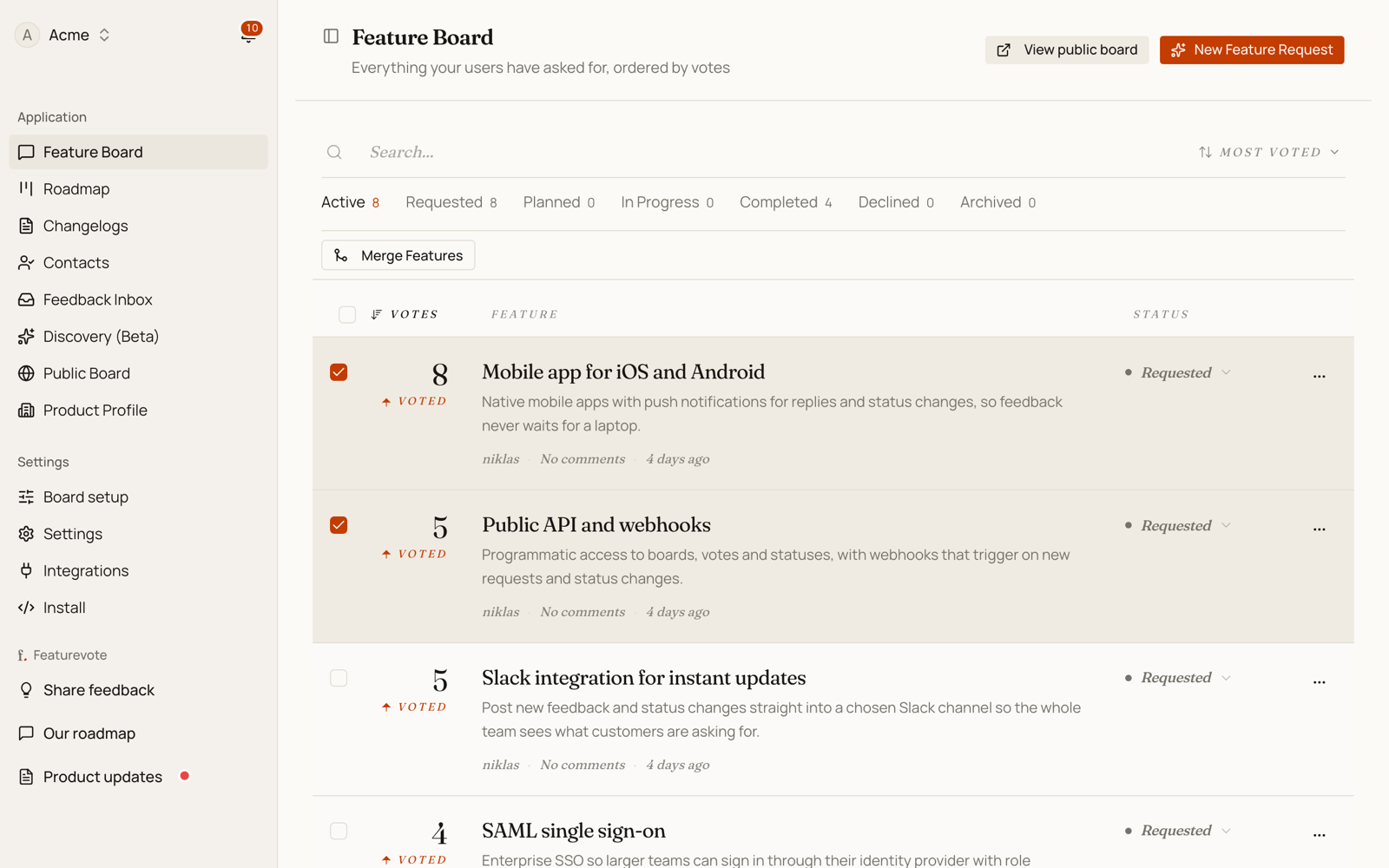
This works when you spot duplicates yourself or want to combine related requests.
What Happens During Merge
When you merge features:
- Choose a primary request. This is the request that stays visible on the board.
- Optionally update the title and description, or generate merged content with AI.
- Votes from the other requests transfer to the primary request. Duplicate votes from the same user are deduplicated.
- Comments from the other requests move to the primary request.
- The other requests are archived, not deleted, so they no longer appear on the active public board.
- A merge audit comment records which requests were merged.
Archived duplicate requests do not currently redirect to the primary request. If someone opens an old direct link to an archived request, the active board remains clean, but the old request will not open as a separate public request.
Generating Merged Content — Click "Generate with AI" to create a combined title and description. AI considers all selected features and their vote counts, producing text that covers all use cases. You can edit this before confirming.
Best Practices
Scan regularly — Run detection after you get 10-20 new requests to catch duplicates early.
Review AI suggestions — The similarity score helps, but you decide what to merge. Two features at 75% similarity might serve different use cases.
Keep the best title — Choose the primary feature with the clearest title. AI can generate a new one if needed.
Share the primary request when needed — After merging, use the primary request link in follow-up messages. Old archived request links are not redirected today.
When Not to Merge
Don't merge if:
- Features target different user groups
- One is clearly a subset of the other (might ship separately)
- Timing differs significantly (one is urgent, one is long-term)
- Implementation approaches conflict
Similarity doesn't always mean they should merge. Context matters.