Using the Roadmap
Share what you're working on and keep users informed
A roadmap shows users what you're working on and what's coming next. It turns feature requests into a transparent view of your priorities.
Why Use a Roadmap
When users submit a feature request, they want to know if you're listening. A roadmap answers that question without requiring constant replies.
It shows:
- What you're currently building
- What's planned for later
- What you've shipped
This keeps users informed and reduces repeat requests for the same feature.
How It Works
Admin View
Drag features between status columns to update their state. Reorder features within columns to prioritize them.
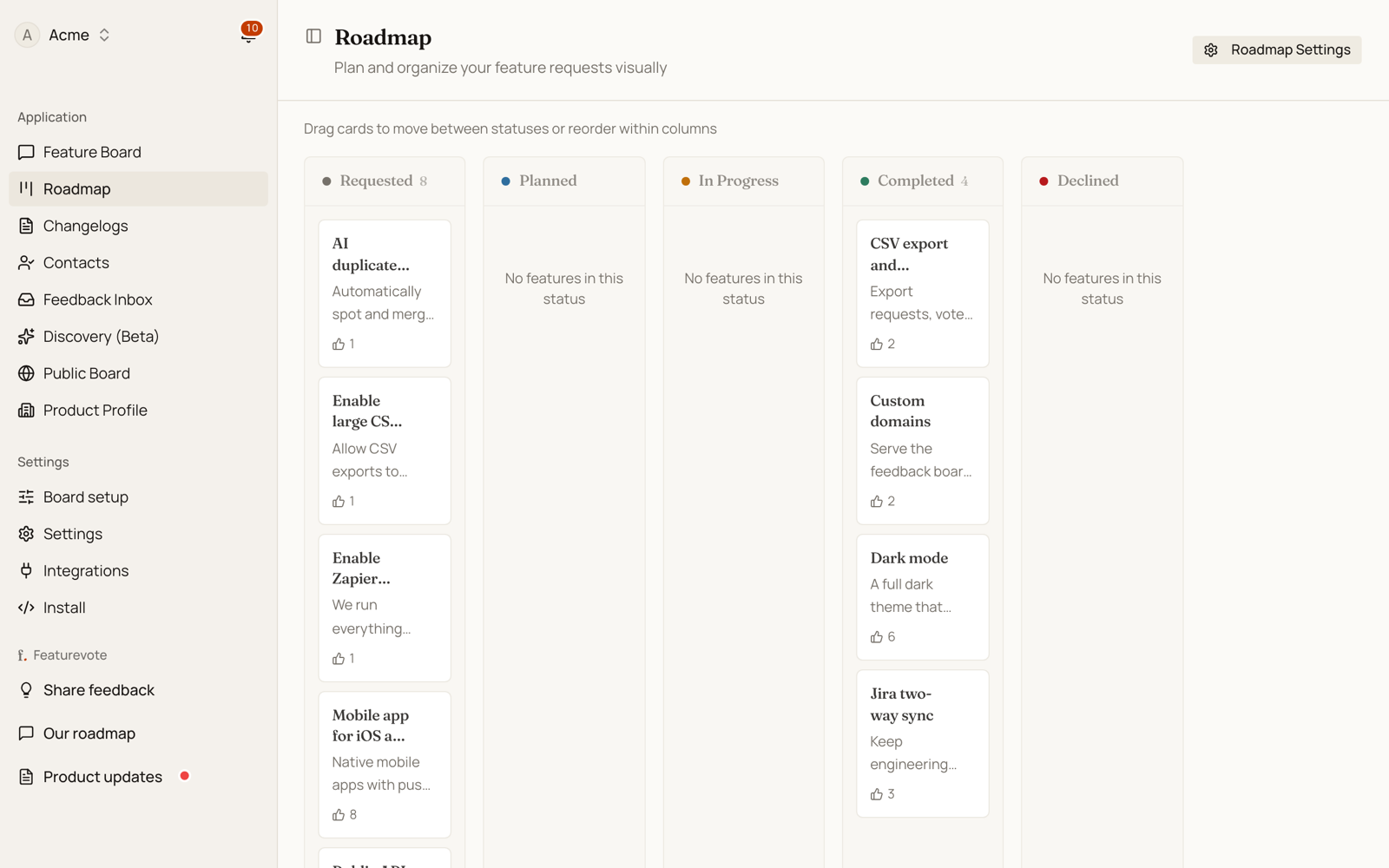
Available statuses:
- Requested — Submitted but not reviewed
- Under Review — Being evaluated
- Planned — Decided, not started
- In Progress — Currently being built
- Done — Shipped
- Declined — Won't be built
Public View
Users see only the statuses you choose to display. By default, they see Planned, In Progress, and Done.
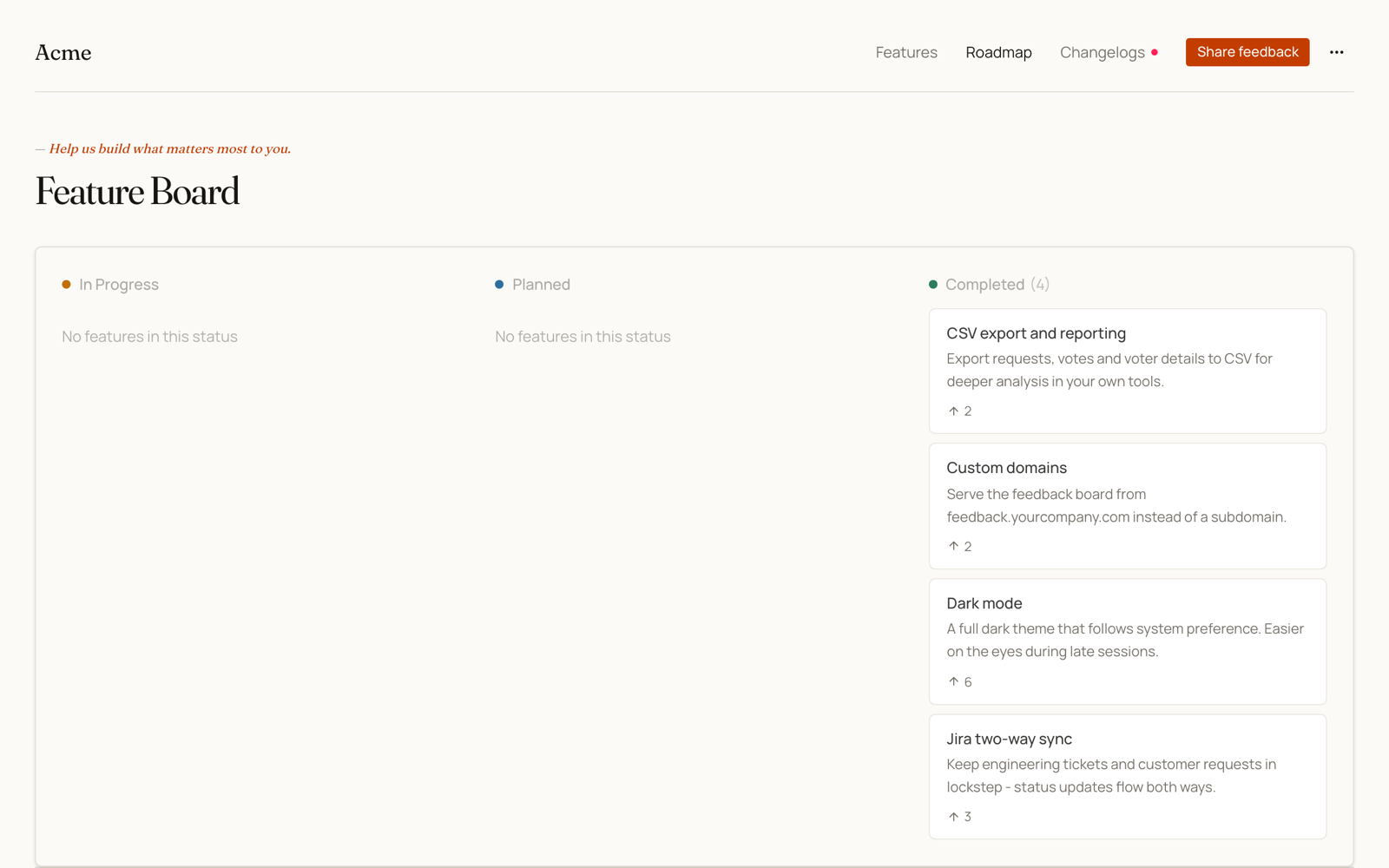
To change what's visible, click the settings icon in your admin roadmap view.
When to Update It
Update your roadmap when:
- You start working on a feature
- A feature moves to testing or review
- Something ships
- You decide not to build something
You don't need to update it daily. Weekly updates are usually enough to keep users informed.